
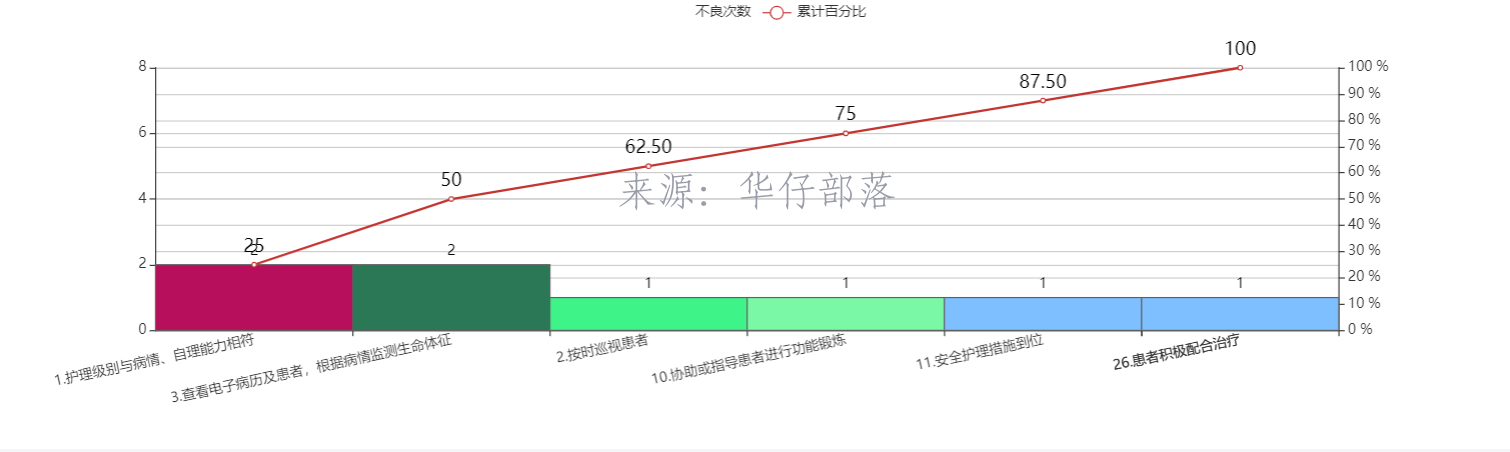
最近使用echarts绘制了这样一幅柱状图+折线图,但是不满足客户需求,他们希望折线图是从坐标轴原点开始,最右侧结束,柱状图保持不变。经查证,xAxis的boundaryGap属性设置为false可以满足要求。
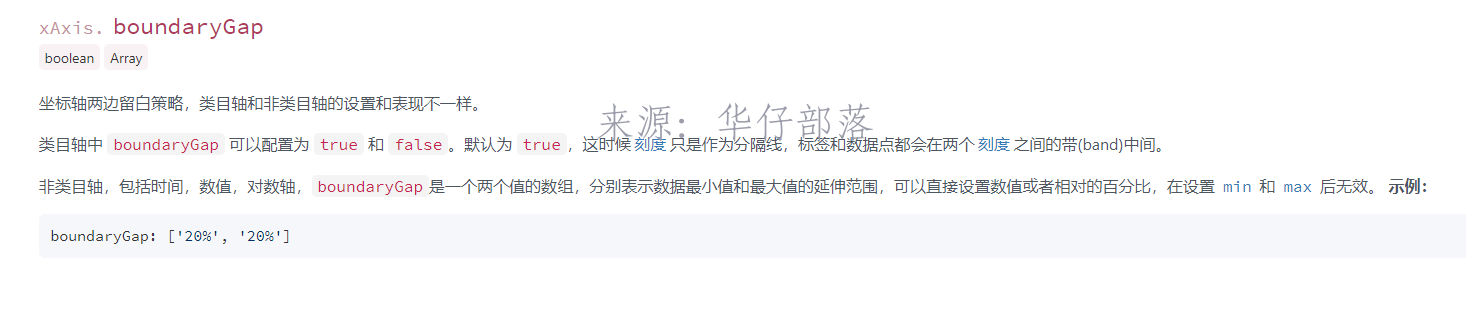
设置属性对比如下:
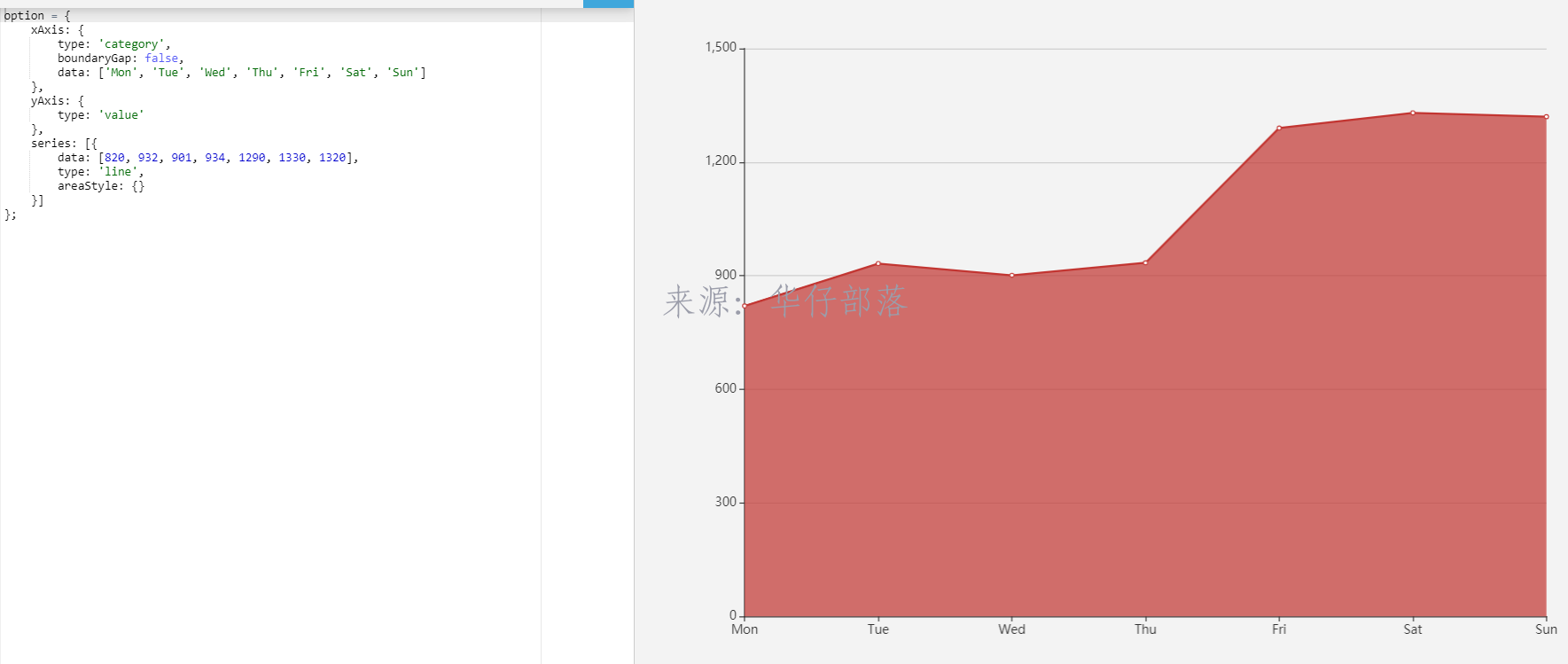
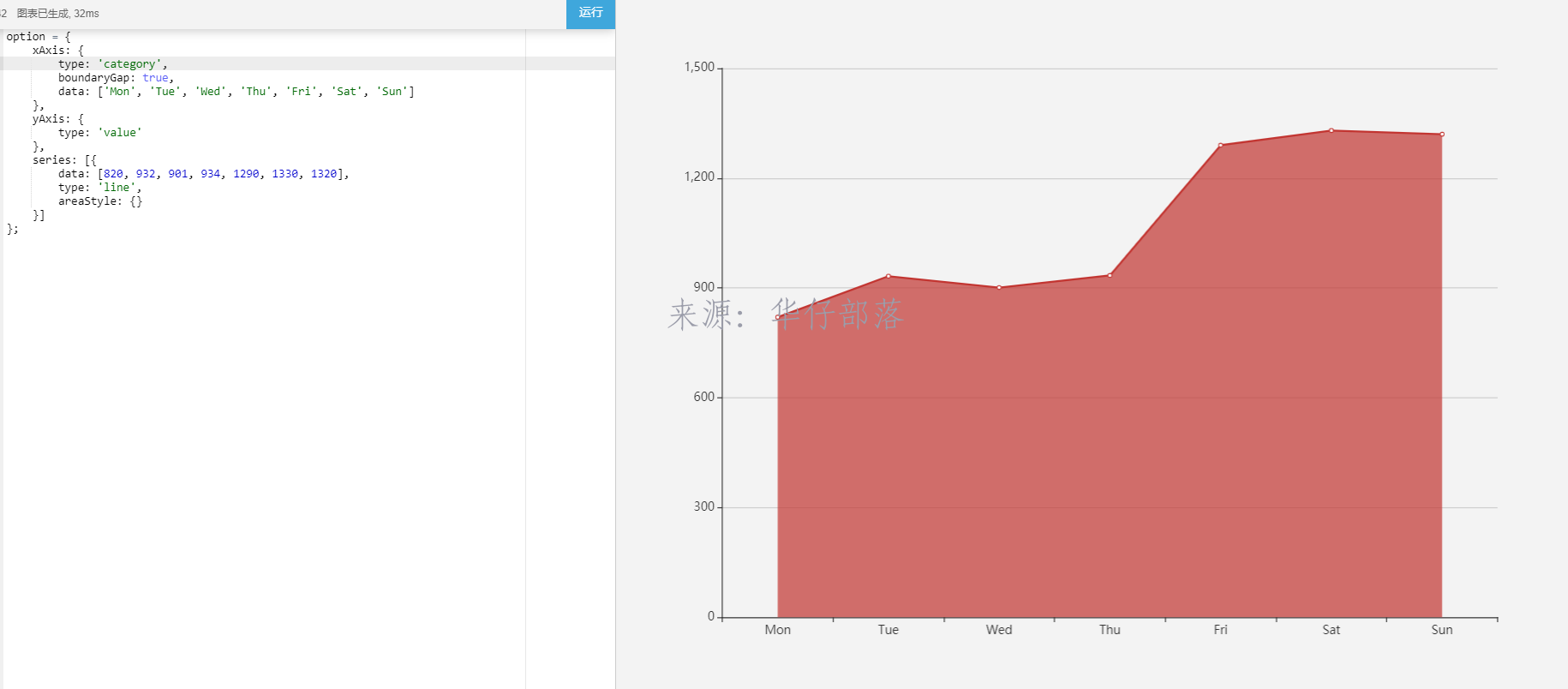
代码添加该属性后,柱状图也跟着变化了
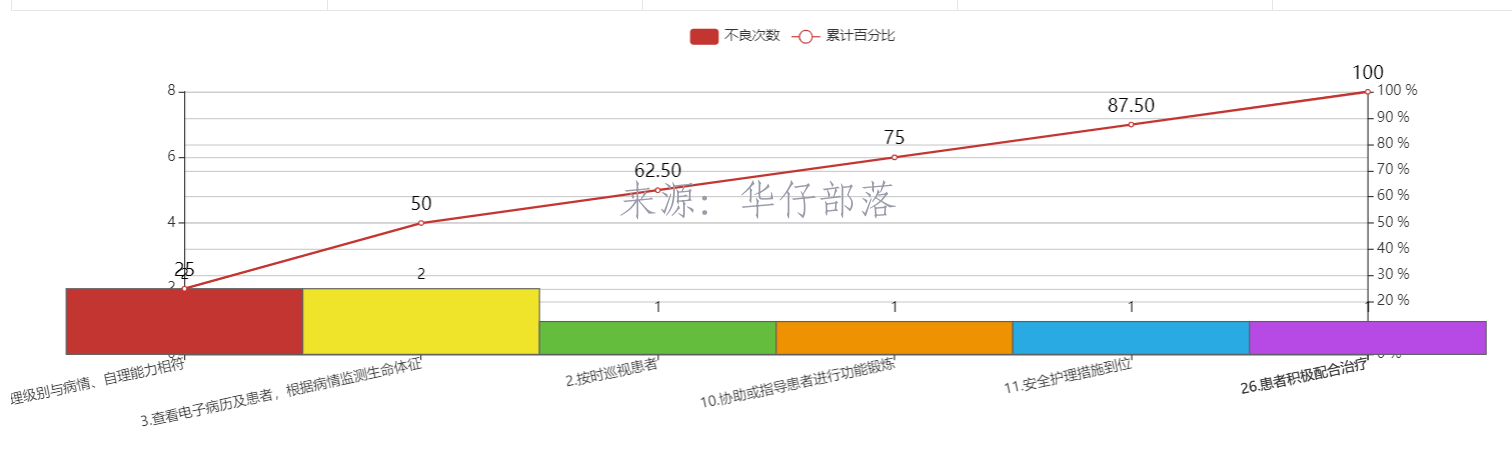
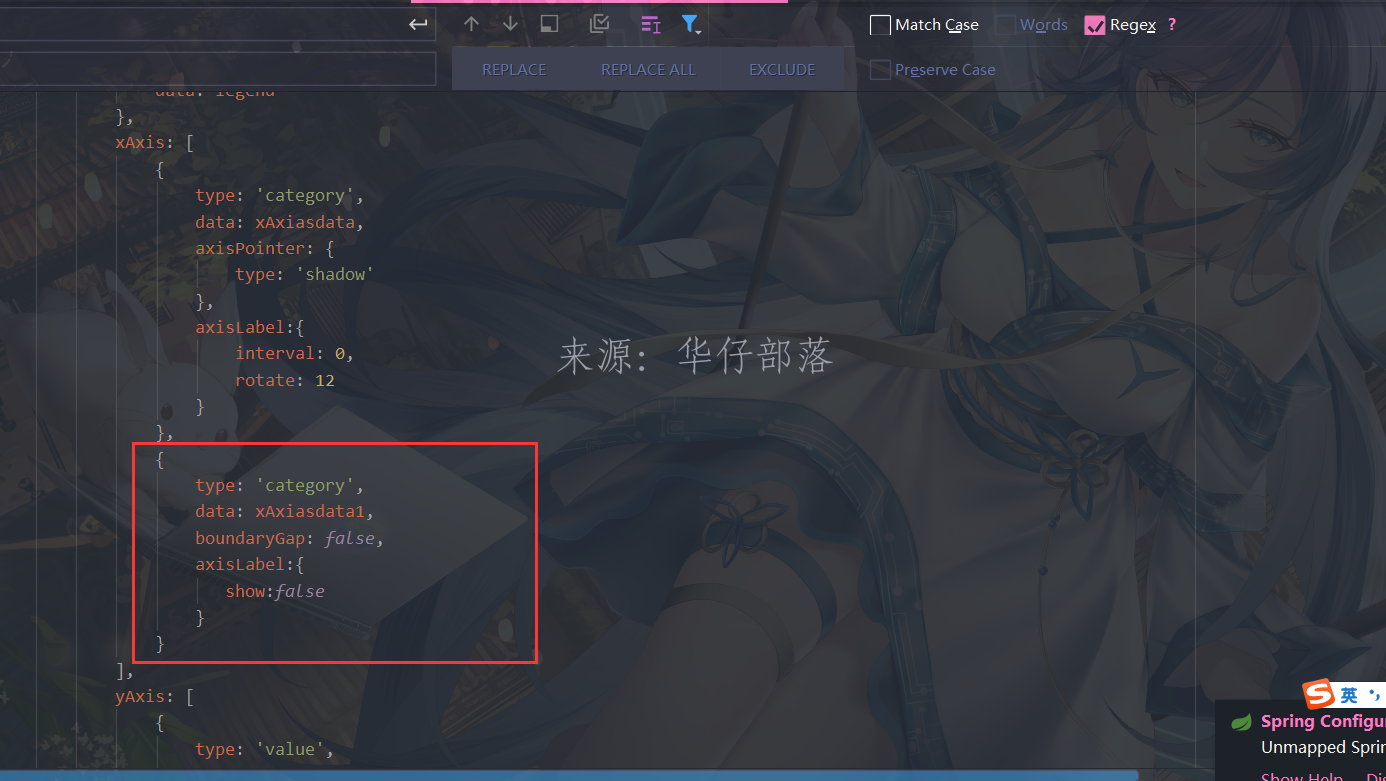
经常尝试,使用一个x轴是无法满足条件,故此增加了一个x轴,效果如下:
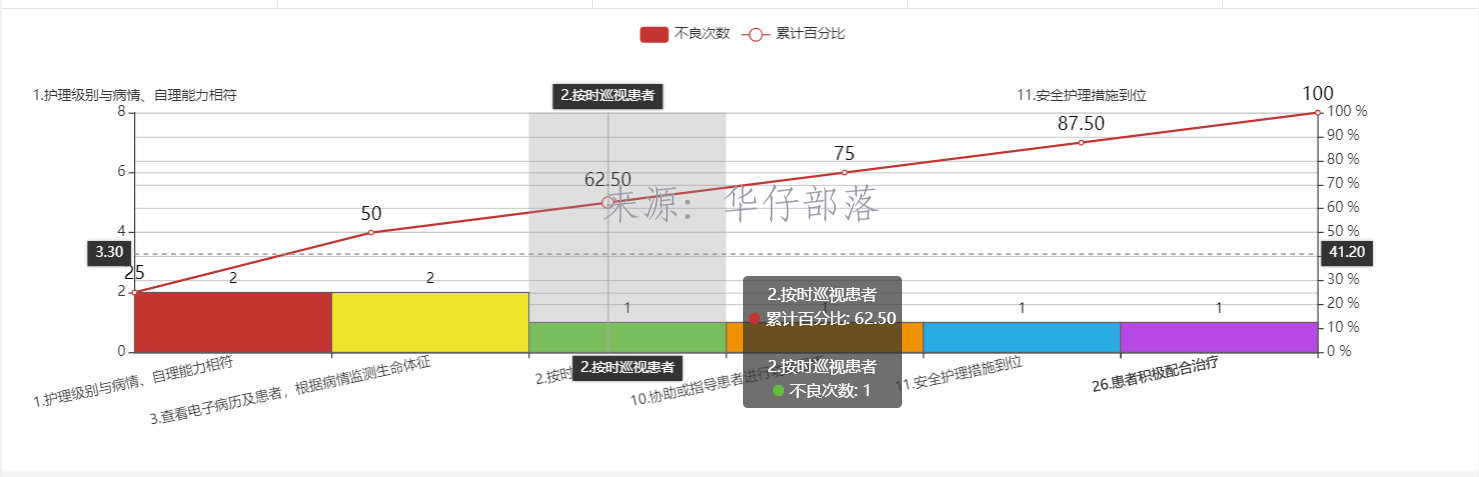
而此时还并没有满足要求,需求是要从0开始,所以针对新加的x轴和对应的y轴数据,都进行了补0操作,最终效果如下
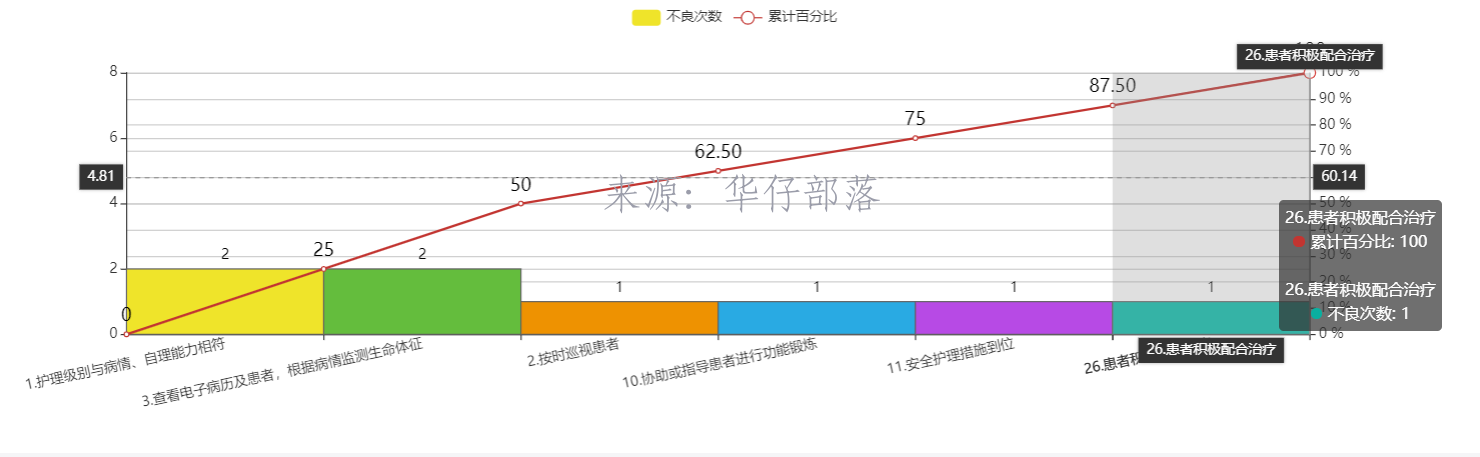
具体代码:
// 获取图例数据
var legend=[];
if(undoneCountMap.legend){
    legend=undoneCountMap.legend;
}
// 获取数据集合
var seriesData=undoneCountMap.seriesData;
// 获取x轴坐标
var xAxiasdata=undoneCountMap.xAxiasdata;

var series=[];

if(legend){
    for(var jj=0;jj<legend.length;jj++){
        if(jj==0){
            var seriesObj={};
            seriesObj.name=legend[jj];
            seriesObj.type="bar";
            if(seriesData.length>jj){
                seriesObj.data=seriesData[jj]
            }
            seriesObj.barCategoryGap="0%";
            var itemStyle = {        //上方显示数值
                normal: {
                    borderColor:'#5F5F5F',//边框颜色
                    //color:function(d){return "#"+Math.floor(Math.random()*(256*256*256-1)).toString(16);},
                    // 定制显示(按顺序)
                    color: function(params) {
                        var colorList = ['#EFE42A','#64BD3D','#EE9201','#29AAE3', '#B74AE5','#0AAF9F','#E89589','#16A085','#4A235A','#C39BD3 ','#F9E79F','#BA4A00','#ECF0F1','#616A6B','#EAF2F8','#4A235A','#3498DB','#C33531' ];
                        return colorList[params.dataIndex]
                    },
                    label: {
                        show: true, //开启显示
                        position: 'top', //在上方显示
                        textStyle: { //数值样式
                            color: 'black',
                            fontSize: 12
                        }
                    }
                }
            }
            seriesObj.itemStyle=itemStyle;
            series.push(seriesObj);
        }else{
            var itemStyle = {        //上方显示数值
                normal: {
                    label: {
                        show: true, //开启显示
                        position: 'top', //在上方显示
                        textStyle: { //数值样式
                            color: 'black',
                            fontSize: 16
                        }
                    }
                }
            }
            var seriesObj={};
            seriesObj.name=legend[jj];
            seriesObj.type="line";
            seriesObj.yAxisIndex=1;
            seriesObj.xAxisIndex=1;
            if(seriesData.length>jj){
                var seriesData1=[]
                seriesData1.push(0);
                seriesData1=seriesData1.concat(seriesData[jj]);
                seriesObj.data=seriesData1;
            }
            seriesObj.itemStyle=itemStyle;
            series.push(seriesObj);
        }
    }
}

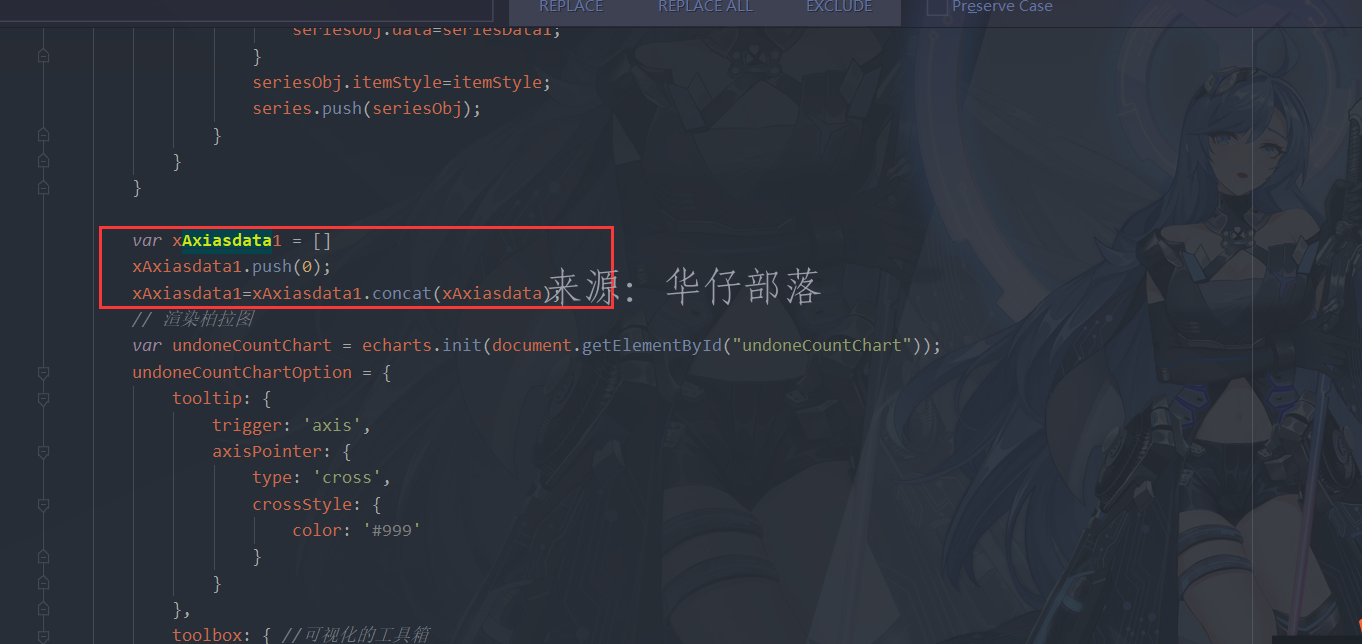
var xAxiasdata1 = []
xAxiasdata1.push(0);
xAxiasdata1=xAxiasdata1.concat(xAxiasdata);
// 渲染柏拉图
var undoneCountChart = echarts.init(document.getElementById("undoneCountChart"));
undoneCountChartOption = {
    tooltip: {
        trigger: 'axis',
        axisPointer: {
            type: 'cross',
            crossStyle: {
                color: '#999'
            }
        }
    },
    toolbox: { //可视化的工具箱
        show: true,
        feature: {
            saveAsImage: {//保存图片
                show: true
            }
        }
    },
    grid:{
      left:'10%',
        bottom:'10%',
        containLabel:true
    },
    legend: {
        data: legend
    },
    xAxis: [
        {
            type: 'category',
            data: xAxiasdata,
            axisPointer: {
                type: 'shadow'
            },
            axisLabel:{
                interval: 0,
                rotate: 12
            }
        },
        {
            type: 'category',
            data: xAxiasdata1,
            boundaryGap: false,
            axisLabel:{
               show:false
            }
        }
    ],
    yAxis: [
        {
            type: 'value',
            min: 0,
            max: undoneCountTotal,
            //interval: 5,
            axisLabel: {
                formatter: '{value}'
            }
        },
        {
            type: 'value',
            min: 0,
            max: 100,
            interval: 10,
            axisLabel: {
                formatter: '{value} %'
            }
        }
    ],
    series: series
};
undoneCountChart.clear();
undoneCountChart.setOption(undoneCountChartOption);
重点修改部分解析:
1、系列数据对应x轴下标;系列数据前面填充0;
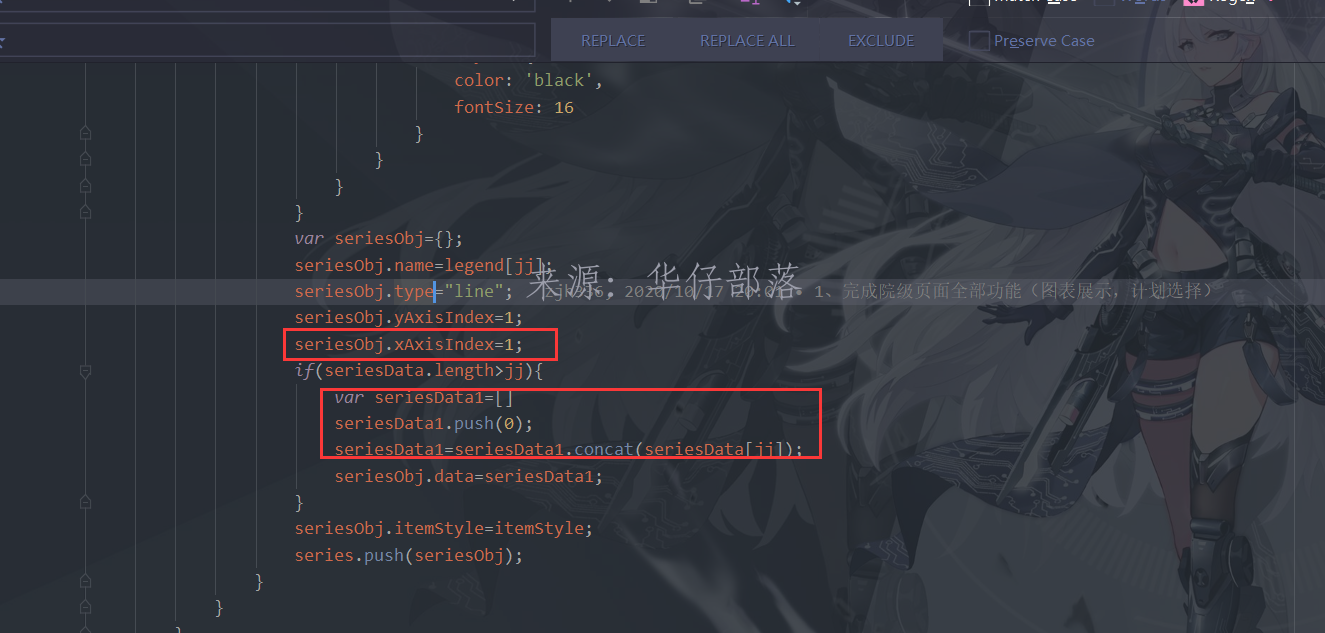
2、新增x轴数据,并且填充0
3、设置x轴数据,设置boundaryGap属性为false



还没有评论,来说两句吧...