
需求
相同的内容,在不同屏幕分辨率下,有存在显示不完全的情况,此时需要要实现自动滚动效果。
1、当内容超过高度时,开启自动滚动
2、默认向下滚动,触底后停止一段时间后,向上滚动
3、向上滚动同理
4、点击停止滚动,延迟一段时间后继续滚动
方案选择
1、 使用css中的transition和transform?
实现过于复杂,不采用
2、使用js中的setInterval
可行
代码实现
<template>
  <div
    :id="scrollId"
    style="border:1px solid red;
    height: 300px;
    width: 200px;
    overflow-y: scroll;
    position: absolute;
    text-align: center;
    top: 10%;
    left: 40%;"
  >
    <div>
      滚动内容1<br>
      滚动内容2<br>
      滚动内容3<br>
      滚动内容4<br>
      滚动内容5<br>
      滚动内容6<br>
      滚动内容7<br>
      滚动内容8<br>
      滚动内容9<br>
      滚动内容10<br>
      滚动内容11<br>
      滚动内容12<br>
      滚动内容13<br>
      滚动内容14<br>
      滚动内容15<br>
      滚动内容16<br>
      滚动内容17<br>
      滚动内容18<br>
    </div>
  </div>
</template>

<script>

export default {
  data() {
    return {
      scrollTimer: null, // 滚动定时器
      pauseTimer: null, // 暂停定时器
      scrollId: 'scrollId', // 滚动容器id
      scrollDirection: 'down' // 滚动方向 up向上 down向下
    }
  },
  destroyed() {
    // 清理定时器
    clearTimeout(this.pauseTimer)
    this.pauseTimer = null
    clearInterval(this.scrollTimer)
    this.scrollTimer = null
    // 清理点击监听
    window.document.removeEventListener('click', this.pauseScroll)
  },
  mounted() {
    this.dataCompleteFun()
  },
  methods: {
    // 数据加载完成方法
    dataCompleteFun() {
      // 开启滚动
      this.autoScroll()
    },
    autoScroll() {
      const scrollHeight = document.getElementById(this.scrollId).scrollHeight
      const clientHeight = document.getElementById(this.scrollId).clientHeight
      const scroll = scrollHeight - clientHeight
      // 滚动长度为0
      if (scroll === 0) {
        return
      }
      // 触发滚动方法
      this.scrollFun()
      // 去除点击监听
      window.document.removeEventListener('click', this.pauseScroll)
      // 重设点击监听
      window.document.addEventListener('click', this.pauseScroll, false)
    },
    pauseScroll() {
      // 定时器不为空
      if (this.scrollTimer) {
        // 清除定时器
        clearInterval(this.scrollTimer)
        this.scrollTimer = null
        // 一秒钟后重新开始定时器
        this.pauseTimer = setTimeout(() => {
          this.scrollFun()
        }, 2000)
      }
    },
    scrollFun() {
      // 如果定时器存在
      if (this.scrollTimer) {
        // 则先清除
        clearInterval(this.scrollTimer)
        this.scrollTimer = null
      }
      this.scrollTimer = setInterval(() => {
        const scrollHeight = document.getElementById(this.scrollId).scrollHeight
        const clientHeight = document.getElementById(this.scrollId).clientHeight
        const scroll = scrollHeight - clientHeight
        // 获取当前滚动条距离顶部高度
        const scrollTop = document.getElementById(this.scrollId).scrollTop
        // 向下滚动
        if (this.scrollDirection === 'down') {
          const temp = scrollTop + 1
          document.getElementById(this.scrollId).scrollTop = temp // 滚动
          // 距离顶部高度  大于等于 滚动长度
          if (scroll <= temp) {
            // 滚动到底部 停止定时器
            clearInterval(this.scrollTimer)
            this.scrollTimer = null
            // 改变方向
            this.scrollDirection = 'up'
            // 一秒后重开定时器
            setTimeout(() => {
              this.scrollFun()
            }, 1000)
          }
          // 向上滚动
        } else if (this.scrollDirection === 'up') {
          const temp = scrollTop - 0.5
          document.getElementById(this.scrollId).scrollTop = temp // 滚动
          // 距离顶部高度  小于等于 0
          if (temp <= 0) {
            // 滚动到底部 停止定时器
            clearInterval(this.scrollTimer)
            this.scrollTimer = null
            // 改变方向
            this.scrollDirection = 'down'
            // 一秒后重开定时器
            setTimeout(() => {
              this.scrollFun()
            }, 1000)
          }
        }
      }, 150)
    }
  }
}
</script>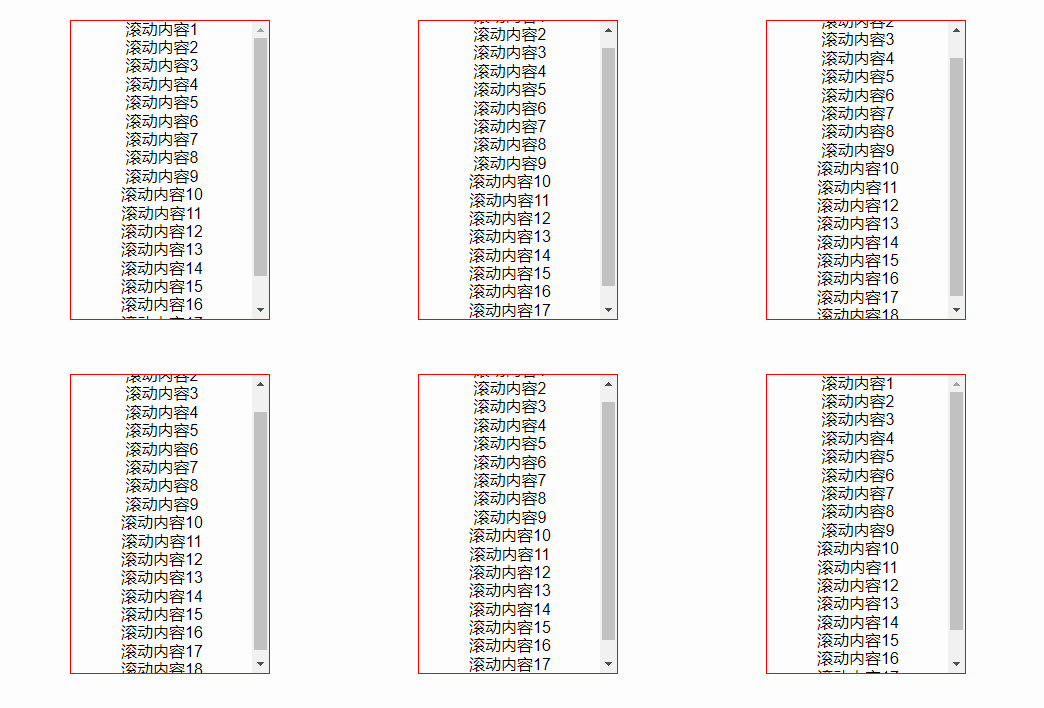




发表评论